Annual Calendar / Checklist
Do you have trouble keeping your New Year's Resolutions? You might want to try using reminder software of some kind or entering recurring events in your favorite calendar program. If you are looking for something simple, download our Annual Calendar for Microsoft® Excel® or OpenOffice Calc. If you have just a single daily goal, you could also use one of our many other yearly calendars and check off the days as you go.
How far do you usually get without some way to keep track of your progress? A few days? Maybe a few weeks? Last year, using this checklist, I actually made it 3 whole months. This annual calendar is useful for many other things as well, such as a shift schedule, project planning, and even keeping track of which child gets to pick the bedtime story (it was amazing how well that cured the nightly arguments).
Annual Calendar / Checklist
for Excel and OpenOffice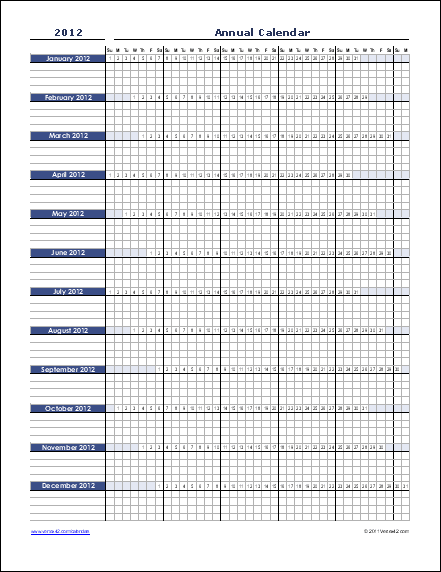
Download
⤓ Excel (.xlsx)Works for any year after 1900
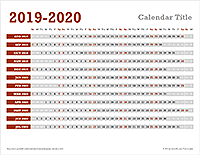
Other Versions
License: Private Use (not for distribution or resale)
"No installation, no macros - just a simple spreadsheet" - by Jon Wittwer
Description
This easy-to-use annual calendar was created for use as a checklist, specifically for New Year's resolutions. However, it actually can be used for many different purposes (see examples below). It works for any year - just edit the year in cell A4 and all the dates will update. Customize the spreadsheet, print out the checklist, then attach to your fridge, nightstand, dresser, etc.
Ways to use the Annual Calendar
- Resolution Checklist - Choose your top 3 most important resolutions or goals and enter them on the lines below each month (or insert more lines). If your goals are based on certain days of the week, highlight those columns that apply. As you accomplish each task or goal, check it off for that day.
- Shift Schedule - Enter names of teams or individuals in the lines below each month and mark which days they are scheduled. Insert additional lines as needed.
- Daily Task Checklist - If you have a set of daily and weekly tasks, scheduled for different days of the week, this calendar can be handy as a checklist.
Update 4/16/2013: We created a new work rotation schedule template based on this annual calendar.