Free Printable Daily Planner
Create your own daily planner using our Free Printable Daily Planner template for Excel. Most commercial daily planners have page refills that you can buy, and the original planner often costs a lot as well. Our daily planner template was designed specifically for common (inexpensive) 3-ring binders and you can print the planner pages using regular letter-size paper.
If you don't have such a busy schedule that you need this level of detail, try our Printable Weekly Planner or Printable Monthly Planner instead. I've also created a personal planner that includes a daily version that in my opinion is even more useful than the daily planner on this page. Try the new Personal Planner Template!
*NEW* Printable Daily Planner
for Excel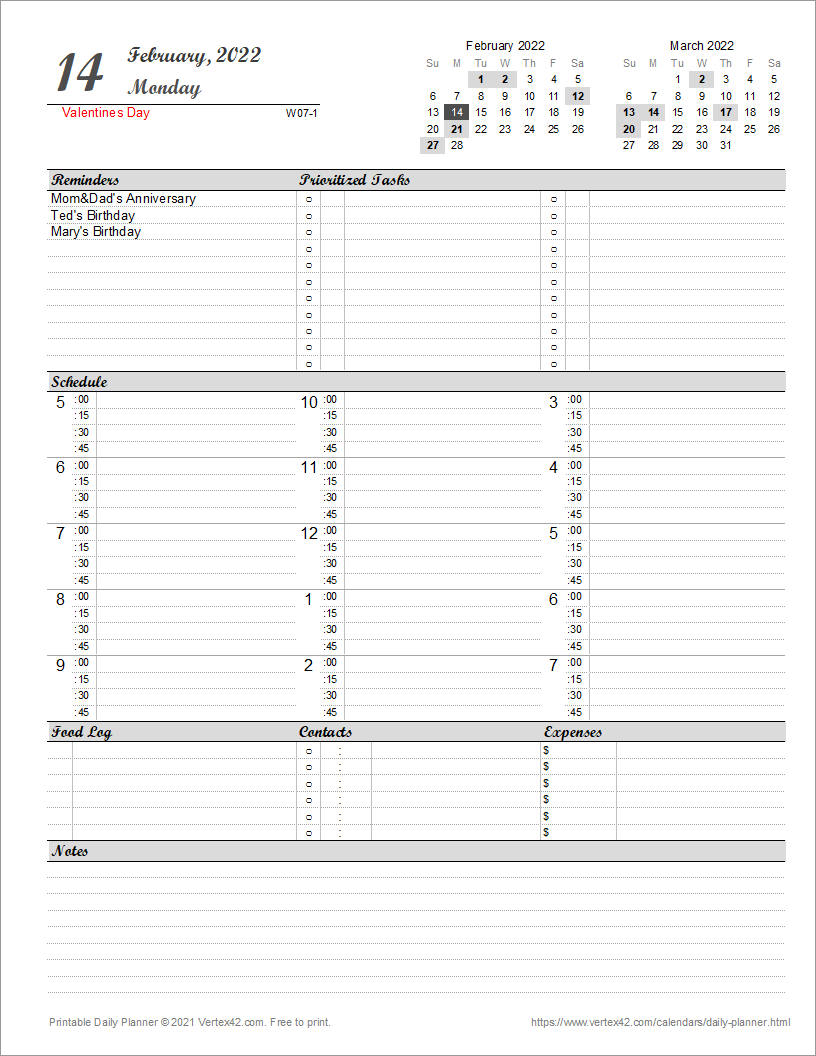
Download
⤓ Excel (.xlsx)License: Private Use (not for distribution or resale)
Description
This is a new design for the daily planner template based on a customization recommended by a frequent user.
Printable Daily Planner
for Excel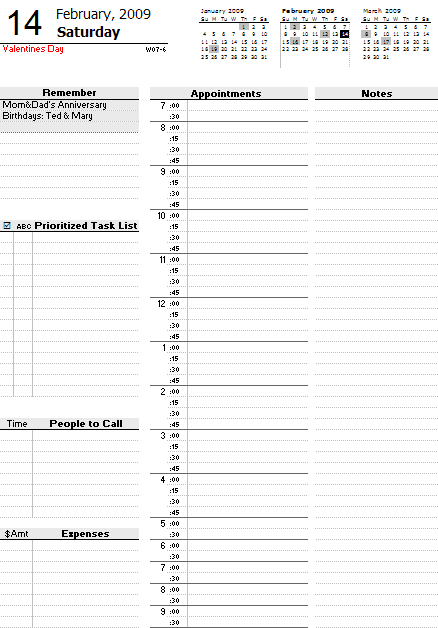
Download
⤓ Excel (.xlsx)License: Private Use (not for distribution or resale)
Description
"Over the last few months I have needed various types of 'fillable' planners. (Daily, biweekly etc.) and when I Googled, the site that consistently came up with the best ones were yours. This was true for each type of calendar. Today I took some time to look around more and was astounded at all the templates you have there. They are not only extensive and cover many different subjects (from planners, to charts, to menus, to budgets etc), but they are extremely easy to use as well." - Liba
This Daily Planner is a spreadsheet template that lets you print a planner page for any day of the year. First enter all the birthdays and other yearly events in Events and Holidays worksheets. When you change the date, up to 3 holidays per day and 10 event reminders per day will be shown automatically.
Each worksheet lets you print two days at a time. This allows you to take advantage of the duplex mode on your printer (if it has that mode) for printing on both sides of a piece of paper. To print more than two days at a time, you can make copies of the planner worksheet within the same workbook and then print multiple worksheets at at time (by printing the entire workbook after hiding the Events, Holidays, and © tabs). The latest version includes worksheets set up to print 2 weeks at a time.
Daily Planner Features
If you calculate how much it costs to print your own daily planner pages vs. buying ready-made planners, you'll probably find that printing your own is NOT necessarily cheaper. Ultimately someone has to pay for the paper and the ink.
The main advantage of creating your own is the ability to customize your daily planner. For example, if you are a student, you may want to change the "People to Call" section into a "Homework Due" section. Also, if you work a weird shift that is constantly changing times, you could make your day start at 7:00am or 9:00pm.
Holidays and Birthdays
This template is more fancy than your typical daily planner because you can record the month and day of all your family and friends' birthdays and when you change the date to print a new day, up to 3 events and 3 holidays will be shown automatically. Holidays are shown under the day in red font, and events (like birthdays) are shown in the Reminders section. The limit of 3 per day is because I haven't figured out a formula for listing more than 3 and I don't want to use a VBA macro.
Other Daily Planner Features
- Each page of the daily planner shows the ISO Week Number under the date as W01-7 where 01 is the week number and 7 is the day of the week. In the ISO standard, Monday is the first day of the week, and Week 01 is the week containing Jan 4th.
- Events and holidays are highlighted in the mini calendars at the top. The current day also uses a unique highlight. The highlighting is controlled using Conditional Formatting. The format can be changed in the MiniCalendars worksheet. You can also change the calendars to show Monday first or Sunday first.
- Sections for a Prioritized Task List and Daily Expenses allow you to track tasks and your budget.
- The Notes section can be used for everything else, such as grocery lists, journal entries, doodling, etc.
More Daily Planners
There are SO many different types of daily planners! Different sizes, different ways of organizing the information, etc. Here are some helpful links.
- Planner Organizer Refills - DayTimer.com - Planner pages and refills for the Day-Timer® brand.
- Daily Planner for Moms - momAgenda.com - Printable pdfs designed for mothers in mind.