Perpetual Calendar Template
Our Vertex42™ Calendar Template for Microsoft Excel® is a perpetual calendar, meaning that it works for almost any year. It can function as a yearly calendar, monthly wall calendar, school calendar, or yearly event calendar, and is the only perpetual calendar that we have made available in other languages (for Spanish see Plantilla Calendario).
Perpetual Calendar Template
for Excel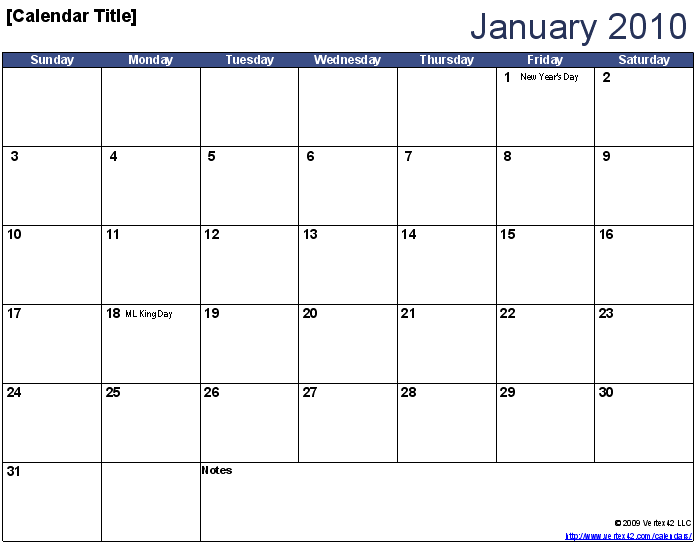
Download
⤓ Excel (.xlsx)Other Versions
License: Private Use (not for distribution or resale)
Description
Use the Vertex42™ Perpetual Calendar Template to create a yearly calendar and monthly calendars where each month is on a different worksheet tab.
Like all our other perpetual calendar templates, you first choose the year, month, and first day of the week and then you enter your events and appointments directly into the monthly calendars. It is perpetual because the same file can be used to create a calendar for nearly any year ... but after you've customized your calendar (such as adding events into the monthly worksheets), you can no longer change the year. You will need to start with a new copy of the file to create next year's calendar.
This perpetual calendar includes some common US holidays, but you can also add your own yearly events, if you are comfortable editing formulas.
Using/Customizing the Perpetual Calendar
Holidays and Events: If you are comfortable editing and creating formulas, you can use the Holidays/Events table in the Year tab to add some birthdays, anniversaries, or other yearly events. But, note that only the first 2 events per day will be listed in the monthly calendars. If this limitation is unexceptable, you can try the new Monthly Calendar with Holidays.
After you add your own event formulas into the Year worksheet (under the Date and Events columns), then save a backup copy (as a template for example) to be used the next time you create a calendar for the following year. Remember ... as soon as you start adding stuff to the monthly calendars, the year and start month are locked in. That means that if you enter "Ted's Birthday" under June 6th, 2013 in cell J13 you can't change the year to 2014, because "Ted's Birthday" will stay in cell J13, but the calendar will show J13 as June 12, 2014.
Formatting: The dates are highlighted in the yearly calendar using Conditional Formatting to change the background color. If you want to manually format the dates, you can remove the conditional formatting (read about that in the Excel help system). See the article How to Highlight Cells Based on a Range.
Creating a PDF: If you have a PDF print driver, you can select all the worksheet tabs at the same time, and then print the entire calendar to the PDF driver. Make sure you read the note below about sharing our calendar.
Moving Calendars to a Single Worksheet: Some people like to have all the monthly calendars on a single worksheet. That's easy to do, but make sure you cut and paste the calendars from the other worksheets (copying won't work).
Renaming Tabs: After you have chosen your starting month, you may want to rename the tabs to "Jan", "Feb", "Mar", etc.
Adding more Events - In the Year worksheet, the range $Z$10:$Z$44 is named events and the range $Y$10:$Y$44 is named event_dates. You can stretch these named ranges to include more events by inserting cells above Y44 and Z44. You may need to redefine the print area if you want to show all the events when you print the yearly calendar.
Holiday Formulas
Due to the request of people wanting to add birthdays and other recurring annual events using formulas, you can now copy the formula below and replace month and day with the correct values.
For holidays, birthdays, and anniversaries occuring on a specific date like Christmas (month=12,day=25):
=DATE($A$4+IF($E$4>month,1,0),month,day)
For holidays occuring on a specific day of the week like "first Monday of September" (month=9,dayofweek=2,weekno=1) or "last Sunday in March" (month=4,dayofweek=1,weekno=0):
=( DATE($A$4+IF($E$4>month,1,0),month,1) + (weekno-1)*7) + dayofweek - WEEKDAY(DATE($A$4+IF($E$4>month,1,0),month,1),1) + IF(dayofweek<WEEKDAY(DATE($A$4+IF($E$4>month,1,0),month,1),1),7,0 )
For holidays occuring on a specific day of the week AFTER OR ON a given date like "the Saturday after or on June 20" (month=6, day=20, dayofweek=7, thedate=DATE($A$4+IF($E$4>month,1,0),month,day)):
=thedate+(dayofweek-WEEKDAY(thedate,1)+IF(dayofweek<WEEKDAY(thedate,1),7,0)
For holidays such as Victoria Day, that are defined as a specific day of the week ON OR BEFORE a given date, use the following formula:
=thedate-MOD(WEEKDAY(thedate,1)-dayofweek,7)
For holidays that occur on the day of the week CLOSEST to a given date, where dow = day of the week and w = WEEKDAY(thedate,1):
=thedate+IF(ABS(dow-w)<=3,dow-w,-SIGN(dow-w)*7+dow-w)
Some holidays can be calculated based on other dates. Good Friday is a good example. It is the Friday before Easter Sunday, so if you have Easter Sunday already defined, then the date for Good Friday =dateofEaster-2, where dateofEaster is a reference to the cell containing the date for Easter Sunday. Pentecost (7th Sunday after Easter Sunday) would be =dateofEaster+49 and Ascension day (6th Thursday after Easter Sunday) would be =dateofEaster+39.

