Work Schedule Template for Excel
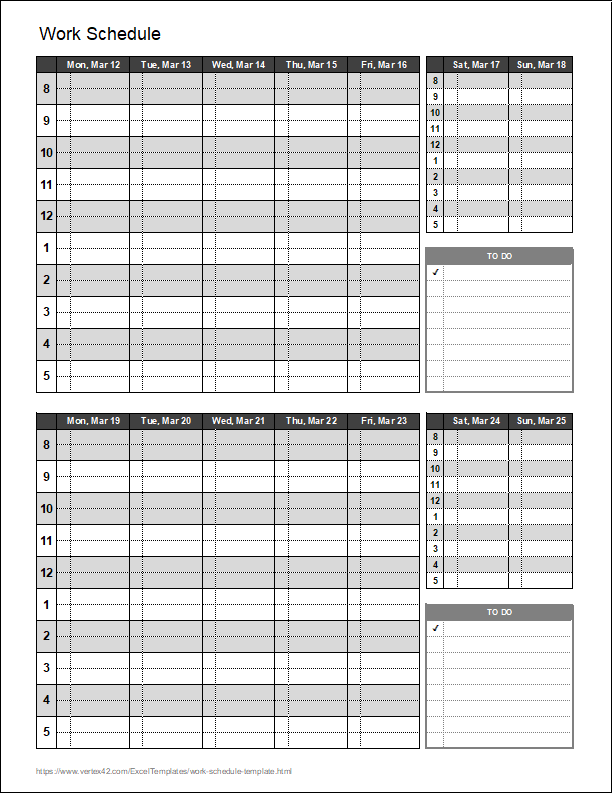
Our bi-weekly work schedule template allows you to quickly print a schedule for planning your week or organizing shift schedules. It was originally designed to look like the work week view in Microsoft Outlook, but we have since added more designs. Browse Vertex42 to find other types of work and project schedules for Excel.
The work schedule template doesn't store the entries that you make into a database so that your appointments pop up as you change the work week (like Microsoft Outlook or a Google Calendar or mobile app). Instead, the purpose is to either print blank copies of the schedule to fill out by hand, or make copies of the schedule worksheet and update the start dates in each tab prior to adding your appointments and events.
Bi-Weekly Work Schedule Template
for Excel and Google Sheets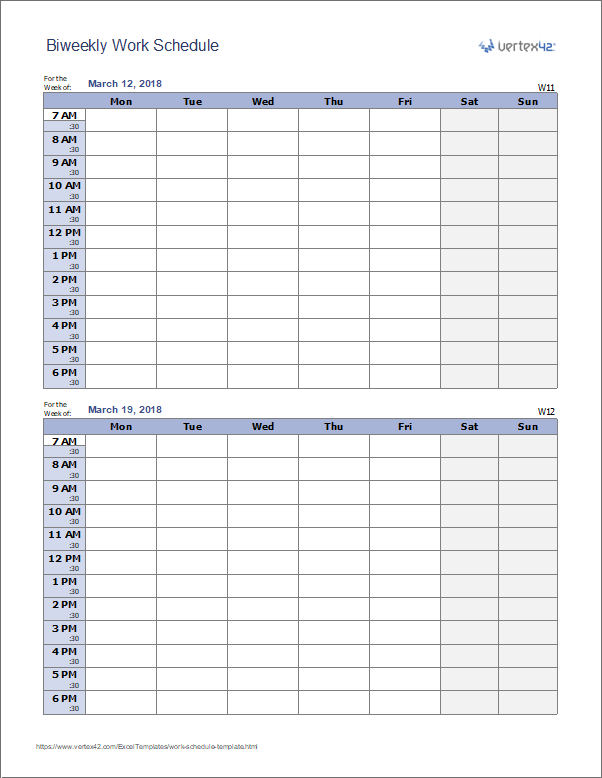
Download
⤓ Excel (.xlsx)Other Versions
License: Private Use (not for distribution or resale)
Author: Jon Wittwer
Description
When planning many weeks in advance, one of the simplest approaches is to first make copies of a blank schedule by right-clicking on the Schedule worksheet tab and selecting "Move or Copy..." You can then rename the tabs based on the week number or the date. This new download includes 3 worksheet tabs spanning 6 weeks, but you can easily add more as needed:
The benefit of using this approach over something more complicated like storing schedule items in a database is that you have complete control over the formatting of each and every worksheet. After customizing the template, save a blank copy of the worksheet. You may even want to label one of the worksheets "blank" so that you always have a blank version to print or duplicate.
Other Types of Work Schedule Templates


Work Schedule With To Do List
Download
⤓ Excel (.xlsx)Description
This version of the biweekly work schedule template includes a weekly to do list. The small boxes use data validation drop-downs to let you easily add check marks.
Work Schedule With Icons

Download
⤓ Excel (.xlsx)Description
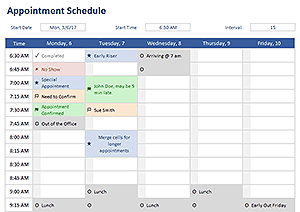
This template demonstrates the use of icon sets to mark or flag specific work appointments or types of work. The spreadsheet uses conditional formatting and data validation drop-downs. You can customize the icons by editing the conditional formatting rule.
Daily Work Schedule for Multiple Employees

Download
⤓ Excel (.xlsx)Description
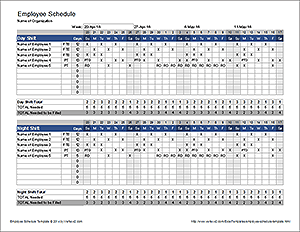
Use this template to create a daily schedule for multiple workers, to coordinate work at multiple locations or on multiple projects. Add new workers by inserting new columns. Add days by copying and pasting groups of rows.
Work Schedule Template (Original Version)

Download
⤓ Excel (.xls)Plan your work week using this template in Excel. With just a few clicks, you can modify the Year, Month, Week, and Start Time.
This template is particularly useful for printing a blank work schedule, or saving copies of the schedule for different work weeks (and the printing them when needed).
1) Simple Controls For the Year, Month, Week, and Start Time
This template uses Excel's built-in form controls, so there are no macros that tend to make many other spreadsheets difficult to customize.

Figure 1: Controls for Choosing Year, Month, Week, and Start Time
2) Convenient Previous and Next Month Calendars
These monthly calendars help you see at a glance what weeks you are working on.
The next-month calendar is handy for highlighting important future dates or goals after the schedule has been printed. To highlight specific dates, you can use Excel's drawings tools to circle specific dates.

Figure 2: Monthly calendars for reference and planning.
3) Dates Included for Each Day of the Week
You could use a template that does not include the dates, but if you are going to use this template more than once, or plan to print copies for your co-workers, you can't do without the dates.

Figure 3: Dates displayed for each day of the week.
4) Easy Printing
The work schedule template has already been set up to print to a normal letter-sized sheet of paper. However, you can customize the spreadsheet to print to other sizes and orientations (by changing column widths and font sizes and/or using Excel's page-setup to fit the spreadsheet to other sizes).
Printing a Specific Range of Cells to Any Size Paper in Excel:
- Go to File -> Print Area -> Set Print Area.
- Select the range of cells you want to print.
- Go to File -> Page Setup
- In the Page tab, select the "Fit To: " option
- Select print preview and change other printing options as needed.
- To change the paper size in the Page Setup window, press the "Options..." button and depending upon your printer, the paper size selection may be in the "Advanced..." settings.
5) Times Adjust To Accommodate YOUR Schedule
This work schedule template divides each day of the week into 30-minute intervals, starting with the hour you specify (see Figure 1). This is handy if you tend to work shifts other than the basic 8:00am-5:00pm.
Instead of Paying For This Template ...
If you like this Excel template, please just tell your friends and coworkers about it.
Other Schedule Resources
- Work Rotation Schedule - Vertex42.com - Display your shift schedule on a yearly calendar.
- Class Schedule Template - Vertex42.com - Download a very simple free class schedule template for Excel. It is actually just a simple spreadsheet created based upon the work schedule template format.
- Excel Calendar - Vertex42.com - Check out our popular monthly Excel calendar. It allows you to dynamically adjust Excel's color palette and create calendars for any month and year.
- Shift Work Scheduling - wikipedia.org - Shows some common shift schedule patterns.