Free Photo Calendar Template
Want to create a photo calendar using your own photos? Our new Photo Calendar Template makes it very easy to insert your photos as well as add events and customize the calendar, all from within a spreadsheet. The printable calendars listed below were created using this photo calendar template.
The photo calendar template screenshot shows the year 2019, but the spreadsheet works for any year. Just download the file, open it in Excel, and change the year. Then start inserting your pictures.
Printable Photo Calendars
The following photo calendars feature photos taken by professional illustrator Hala Swearingen. She takes hundreds of photos as background research for her illustrations, and I have licensed a few to create the following Flowers and Seasons photo calendars. Take a look at her work at ArtByHala.com. You may print as many copies of these calendars as you need, but the calendars may not be hosted, sold, or distributed via other websites.
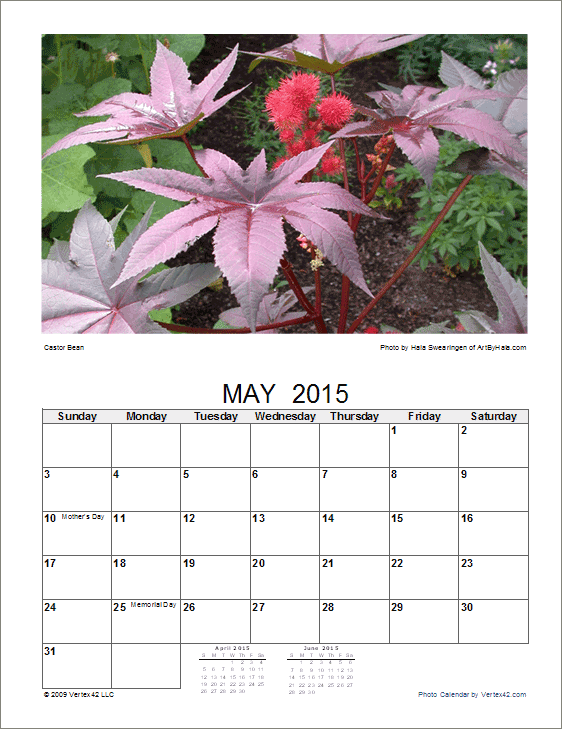
Flowers Photo Calendar
Printable calendar designed for 8 1/2 x 11 inch paper.
2025 Flower Photo Calendar (.pdf)
2026 Flower Photo Calendar (.pdf)
2027 Flower Photo Calendar (.pdf)

Seasons Photo Calendar
Printable calendar designed for 8 1/2 x 11 inch paper.
2025 Seasons Photo Calendar (.pdf)
2026 Seasons Photo Calendar (.pdf)
2027 Seasons Photo Calendar (.pdf)
Photo Calendar Template
for Excel
Download
⤓ Excel (.xlsx)License: Personal Use
(not for distribution or resale)
"No installation, no macros - just a simple spreadsheet" - by Jon Wittwer
Description
This photo calendar template is a blank 12-month calendar, with each month on a separate worksheet. You can add events as needed and otherwise customize the calendar, as well as insert your own photos and pictures.
Photos not included. The template is for your personal use only (see license). As an addendum to the normal license, you may make as many printed copies of the calendar as you want. The spreadsheet may not be distributed on the web, but you may make a PDF version of your calendar to share with your club, school, etc. provided that you own the rights to the photos and pictures that you will be sharing.
Using the Photo Calendar Template
Adding Photos: With Excel 2010 and later, you insert images by going to Insert > Picture > From File and selecting your photo. After you insert your photo, you'll probably need to resize it. To preserve the aspect ratio of your picture, hold down the Shift key as you resize the photo from the corner. To align the photo to the grid in Excel, hold down the Alt key (or Alt+Shift if you are also resizing the photo).
Printing: The photo calendar template is designed to be printed on 8 1/2 x 11 paper in Portrait format. When resizing the photo, try to align the right edge to the right side of column N. If the photo is outside the print area, you can end up with some weird results.
If you are binding the 8 1/2 x 11 photo calendar on the top or side, you can print a single month per page or print on the front and back of each page.
Creating a Mini Photo Calendar
The photo calendar template was also designed to allow you to print a mini folding wall calendar which when folded is the size of a half sheet of paper. Printing this type of calendar is very tricky because of the crazy order of the photos and calendars and having to print some pages upside down on the backs of other pages. I've provided the following illustration to show how to print the pages of the picture calendar.

When using the picture calendar template to create this mini calendar, the photo printed above each calendar won't necessarily be the photo for that particular month. For example, to print the front side of page 3, the photo for December is on the top half of the page and the February calendar is on the bottom half.