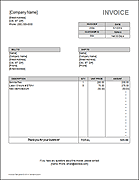
Service Invoice Template
Our free service invoice template was designed specifically for consultants, service providers, and other small businesses. Our collection now contains many different designs. The basic invoice is useful for listing a description and an amount, and we have other designs for service providers that charge based on hourly rates. If your business sells and ships products, you may be more interested in our sales invoice template. If you are running an IT business, check out our new IT Consultant Invoice Template.
If you also need a way to record and track hours worked, check out our timesheet, timecard, or time tracking templates.
Service Invoice Template

Download
⤓ ExcelOther Versions
License: Private Use (not for distribution or resale)
Author: Jon Wittwer
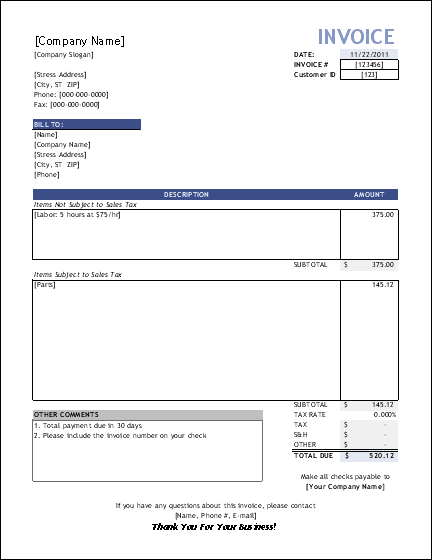
This general service invoice gives you the flexibility to enter whatever you want in the description, whether that be hourly rates or fixed charges. Included in the template is a second invoice worksheet that has separate sections for items that may or may not require sales tax.
Service Invoice with Hourly Rate
Download
⤓ ExcelLicense: Private Use (not for distribution or resale)
Author: Jon Wittwer
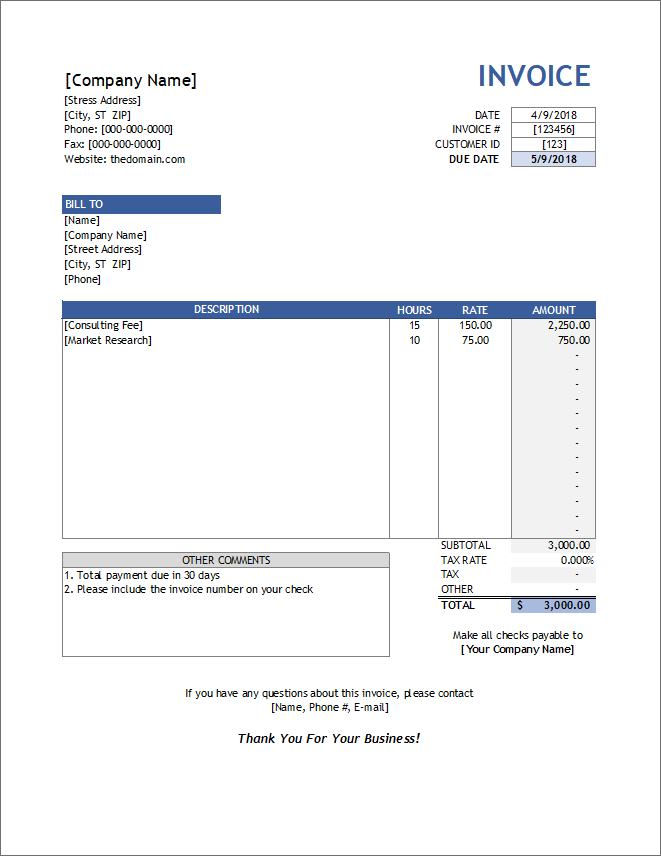
Like the title says, this invoice is for service providers that charge based on an hourly rate. You can break down the charges based on different tasks and either charge the same rate for all items or enter different rates for each line item.
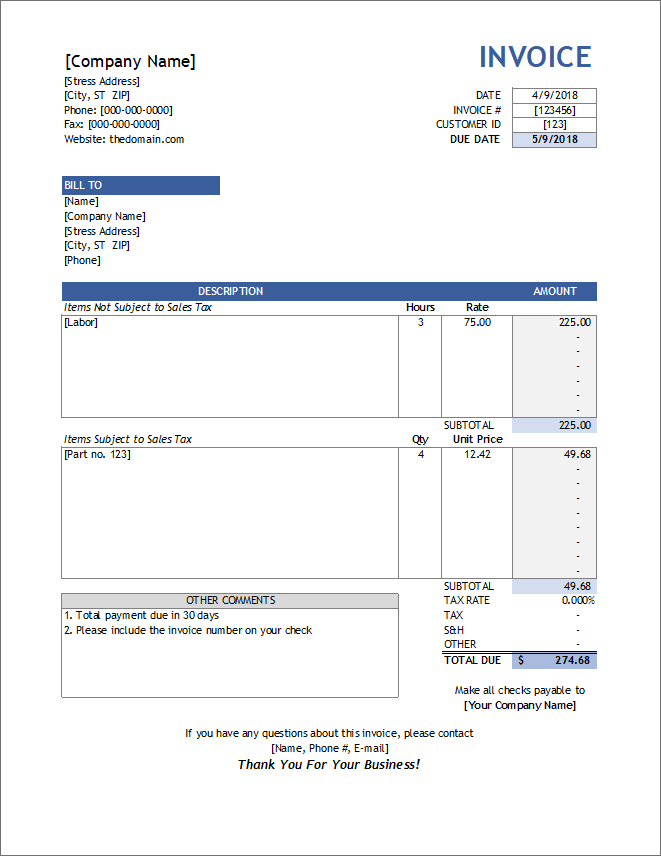
The second worksheet in the file (see screenshot #2) includes a separate section for charging for parts, tools, or materials - items that are typically subject to sales tax. In this section, instead of entering Hours and the Rate, you would enter the Quantity and the Unit Cost.
If you'd like to try a similar template with a newer look, check out our Simple Invoice with Hours and Rate, or the Billing Invoice template.

View Larger Image
Service Invoice with Customer List
service-invoice_customer-list.xls | Version 1.1.0This workbook includes all of the above service invoices in one workbook, with each one referencing the same customer list.
First, add the names and addresses of your clients into the customer list. Then, when creating an invoice, you can select the client ID from a drop-down box to have the address information populated automatically.
Using the Service Invoice Template
Values within [brackets] are meant to be replaced with your company or customer's information. Below are descriptions of some fields used in service invoices:
- [Company Name]: The main title and address listed at the top of the invoice is for the company that is providing the service (i.e. the Service Provider or Consultant).
- Bill To: The name and address of the customer. This information is usually tied to the a specific Customer ID. A service invoice usually assumes that no products are being shipped. Use a sales invoice if you need to include shipping details.
- Description: The description may be pretty lengthy, particularly for consulting or legal services. In some cases, you may want to provide details about how the total has been calculated or arrived at. You could include a break-down of the charges within the description, or include each charge as a separate row.
- Other Comments: Use this block to describe payment terms such as the method of payment or when the payment is due.
- Make Checks Payable To: You want to make it as easy as possible for your client or customer to pay you. Don't make them hunt around for this information.
Changing the Currency Symbol: You can change the currency format used in the invoice template by changing the cell formatting. Select the cell or cells, then open the cell format dialog box (shortcut: Ctrl+1). In the Number tab, you can select the "Currency" category and then choose the Symbol that you want from the drop-down box.
Sending the Invoice to Your Customer: Save the completed invoice as a PDF file (this may require a separate add-on or PDF creator), and send the invoice via email. Your customer will probably like the convenience, and it is a nice way to make sure they can view the file.
Creating a Custom Template: After you customize the invoice spreadsheet with your company name and address, save it as a template file (.xlt). When you go to create a New file from a template, the invoice template should be included in your list of available templates. Be aware that when you create a .xlt file, the default location is usually a directory that is often hard to find (for example: C:\Documents and Settings\[username]\Application Data\Microsoft\Templates)
Managing All Your Invoices: The free Invoice Tracker spreadsheet provides a simple way to handle a low volume of invoices. See our Small Business Invoicing article, which explains a method for managing your invoices.
Service Invoice @ Microsoft.com
 Service Invoice @ Microsoft.com ▶
This version of the service invoice was designed by Vertex42.com and is available directly from Microsoft in their template gallery and also by going to File > New and searching for "Service Invoice."
More Invoice Templates
- Sales Invoice - from Vertex42.com
- Invoices - from templates.office.com