Free Time Sheet Template
If you need a free timesheet template that will let you record clock in/out times, try a professionally designed timesheet calculator listed below. A time sheet template isn't really meant to be the cure to all of your time management problems, but if you are looking for a very simple low-cost timesheet system, or want to create your own blank printable timesheet, Vertex42's templates are an ideal place to start.
If you don't want to record clock in and clock out times, check out our other free Excel Timesheet and Time Card templates. The free timesheet calculators on this page all involve entering the time in and time out to calculate total hours worked.
Time Sheet Template with Breaks
for Excel, OpenOffice and Google Sheets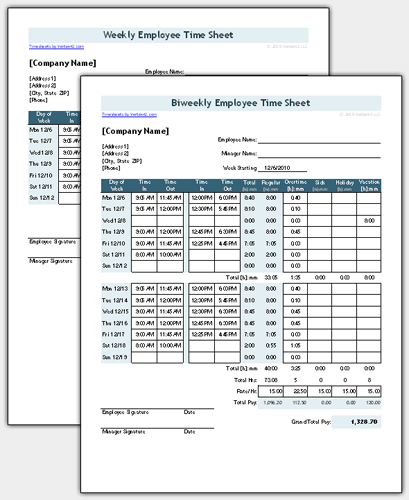
Download
⤓ ExcelOther Versions
License: Private Use (not for distribution or resale)
Author: Jon Wittwer
Descriptioin
This standard version includes both a weekly timesheet and biweekly timesheet as separate worksheet tabs, as well as options for recording hours in decimal or [h]:mm format.
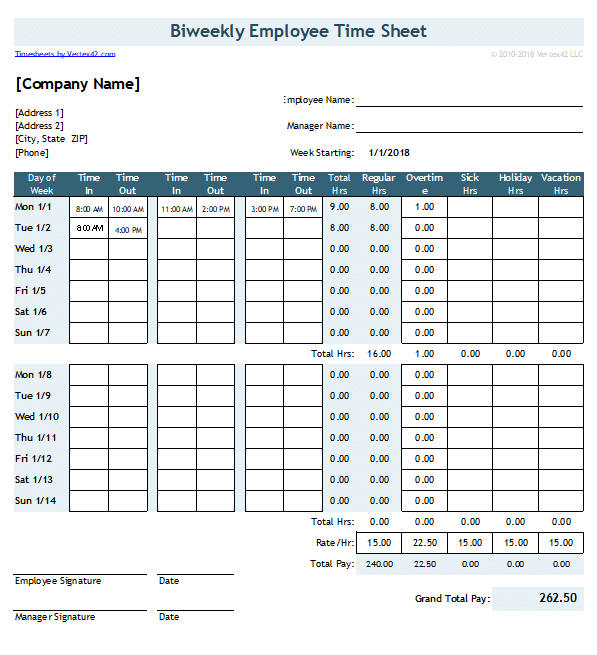
Time Sheet with 2 Breaks
Download
⤓ ExcelLicense: Private Use (not for distribution or resale)
Author: Jon Wittwer
Descriptioin
This version allows you to include up to 2 breaks per day (or in other words, 3 separate clock in/out times). The file includes both weekly and biweekly worksheets in both decimal or [h]:mm time formats.
Overtime is calculated on a daily or weekly basis (or both).
More Free Time Sheet Templates
Cost: Free ($0.00)License: View Agreement (Applies to all timesheets listed below)
Required: Microsoft Excel® 2002(XP), 2003, 2007, 2010, 2013 or OpenOffice
View Screenshot
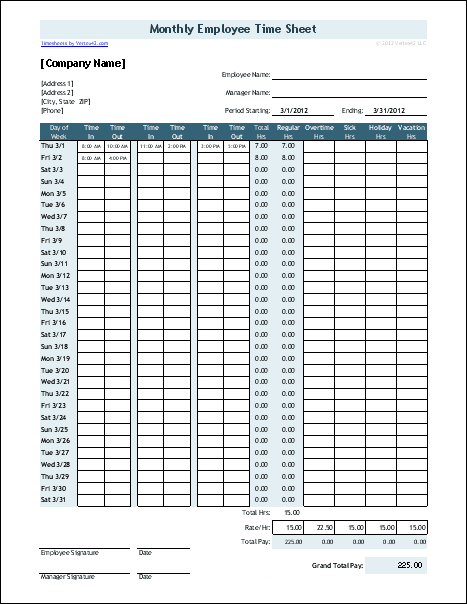
Monthly & Semi-Monthly Timesheet (with 2 breaks)
timesheet-with-2-breaks_monthly.xls | Version 2.3.3Based on the timesheet with 2 breaks, this version is for businesses that prefer to use a monthly timesheet or semi-monthly timesheet.
View Larger Image
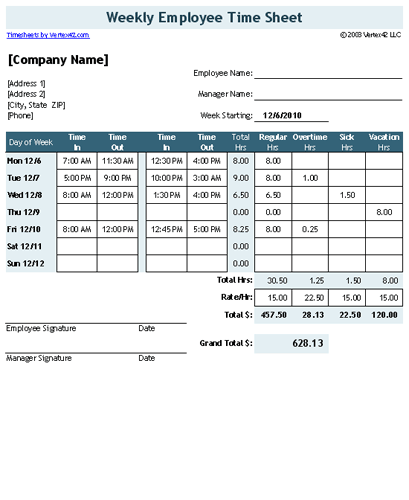
Original Employee Time Sheet with Breaks
This basic time sheet is based on our original design. If you just need to print a blank timesheet, this one is the easiest to customize. It requires you to manually allocate the Regular and Overtime hours.
Time Sheets with Breaks in Minutes
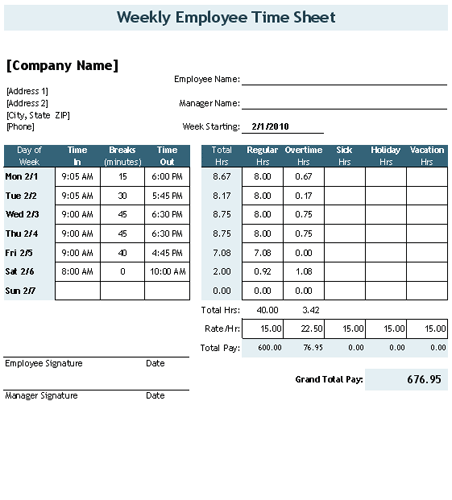
Are you looking for a way to specify the breaks in terms of minutes rather than having to record two or three separate clock-in / clock-out times? If so, the following two versions have been updated and renamed. Check them out on the new Time Card Calculator page.
View Larger Image
Timesheet with Breaks in Minutes
This version has been updated for Excel 2007+ and is now part of a new time sheet template called the Time Card Calculator.
View Larger Image
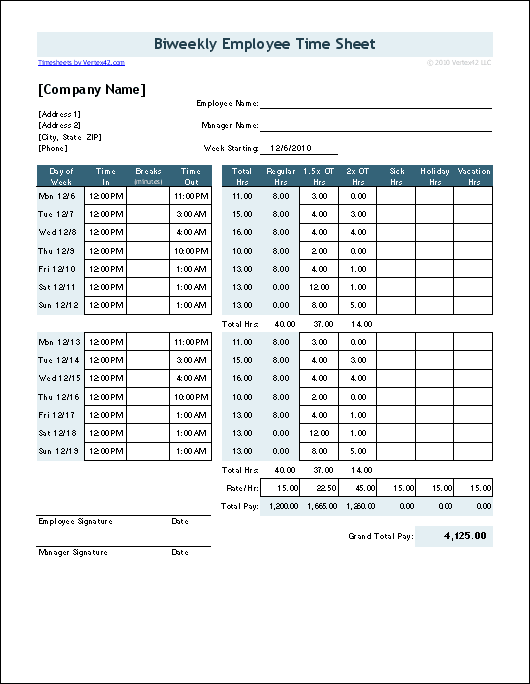
Time Sheet for California Overtime
timesheet-with-breaks-in-minutes_CA.xls | Version 2.3.3This version has been updated for Excel 2007+ and is now part of our new free Time Card Calculator.
Time Sheet Instructions and Help
I don't provide support for customization or general questions about how to use Excel. However, I do have an interest in providing useful time sheet templates. So, if you have ideas or questions about how to use the timesheets, feel free to contact me.
Printing & Sending the Time Sheet to your Employer
Depending on how your employer wants to receive your timesheet, you might do one of the following:
- Print and deliver/mail the completed time sheet.
- If you have PDF conversion software, you could convert or print to a PDF and then email it.
- Upload the completed time sheet to a secure shared server.
- If your company uses an online time sheet system, you could update the Excel file throughout the week and then use it as a reference to complete the online form.
This timesheet template is pretty simple and it should be fairly intuitive. Hopefully, you'll go ahead and download it, figure out how it works, and customize it to suit the needs of your company. If you are an employer with many employees and this template doesn't meet your needs, you may want to consider looking into some kind of web-based time management system, or electronic punch card system.
Time Sheet Overtime Options

Calendar reference and overtime options
within the timesheet templates.
Some of the time sheets contain formulas for calculating overtime based on a couple of basic optional rules:
- Hours worked over 8 in a workday.
- Regular hours worked over 40 in a workweek.
The screenshot below shows how easy it is to select the overtime options. You can enable just one of the options, or both, or none.
Overtime regulations vary from state to state and may contain many exceptions, so it may be necessary to enter overtime manually instead of using the formulas. If you have questions about the overtime requirements in your state, visit the U.S. Department of Labor website.

