Free Graph Paper Template
Vertex42 provides free graph paper or blank grid paper that you can print for your kids, students, home, or work. This page provides an Excel template with grids for engineering, architectural, or landscape plans as well as printable inch graph paper in 1/4" and 1/5" grid spacings, centimeter graph paper, and isometric graph paper. See our new printable graph paper page for Word-based templates and more sizes and formats.
Printable Graph Paper (PDF)
To print your own graph paper on 8.5 x 11 inch paper, you can download the following PDF files (viewable using Adobe Reader). See our new Printable Graph Paper page for more sizes and formats, including 1/10" grids and engineering paper.


In the inch grid paper and cm grid paper the scaling is fairly precise, but not exact. Our new Word-based templates are more precise. The isometric grid paper is scaled to inches, measured from vertex to vertex.
Graph Paper Template
for Excel and OpenOffice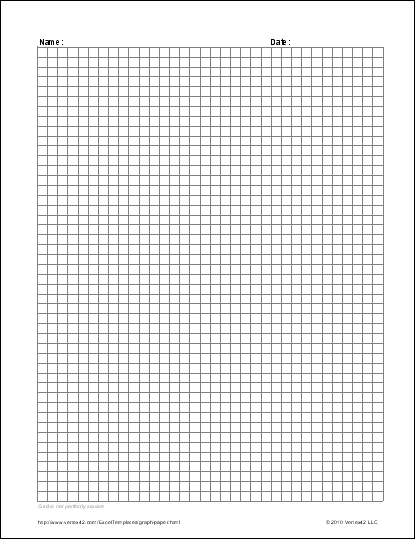
Download
⤓ Excel (.xlsx)Other Versions
License: Personal Use (not for distribution or resale)
Authors: Jon Wittwer and Jim Wittwer
Description
This Excel (.xls) file contains square grids of different sizes, triangular, and isometric graph paper.
Excel can provide a useful grid-based drawing canvas for landscape plans and simple architectural floor plans. Many people may not realize that the drawing tools in Office are basically the same in Excel, Word, and Powerpoint. In Excel, you can snap to the grid by holding the Alt key as you insert shapes and lines. You can also use another worksheet within the same workbook to do calculations.
Note: If you are just looking for printable graph paper, the Word (.docx) templates available on the new printable graph paper page provide more accurate measurements and aspect ratios.
Problem with the Excel Graph Paper Template
If you aren't concerned with exact scaling, Excel can be a pretty useful tool for creating simple floor plans, landscaping plans, Sudoku grids, and other stuff (see reference [1]). I have even used it to plan how I was going to load furniture into a moving truck.
The problem with the scaling is that Excel's column widths and row heights are based on pixels rather than printed dimensions (link inches or centimeters). It is possible to get pretty close to an inch scale using the Excel template by manipulating the pixel width and height of the columns and rows, and that is what I have done in the above graph paper template (and wasted a lot of paper in the process). However, if you want a more precise grid, use Word or Powerpoint to define a table with the cell widths and heights set to specific widths.
Resources
- [1] Excel as Gridpaper for Drawing at mrexcel.com - Shows how Excel can be used to create some fancy floor plans and explains how to set the grid size based on pixels.
- [2] Printable Graph Paper at printfreegraphpaper.com - A large variety including polar, cartesian coordinate, hexagonal, and logarithmic graph paper (in PDF format).

 Charts and Graphs