Financial Modeling with Excel Spreadsheets
Many people do not realize that spreadsheets can be used for more than just creating tables and charts and summarizing data. Although spreadsheets were originally designed to function as electronic ledgers and accounting worksheets, they are now commonly used for creating complex mathematical models. Instead of just storing, summarizing, and formatting data, a financial model is used for analysis.
What is a Model? Generally, a financial model consists of one or more input parameters along with data and formulas that are used to perform calculations or make predictions. By changing the values of the input parameters, you can do "what-if" studies to see what happens when the inputs change. Some examples of financial models are the financial calculators that can be downloaded from Vertex42.com.

Financial Templates and Spreadsheets for Excel
- Excel Business Templates - vertex42.com - Check out our collection of business templates for Excel, including financial statements, budgeting, loan calculators, time sheets, project management, and more.
- Free Financial Spreadsheets at http://www.exinfm.com/free_spreadsheets.html - This page by Matt H. Evans on his site, Creating Value through Excellence in Financial Management (exinfm.com), lists over 75 free spreadsheets related to accounting, personal and corporate finance, project management, and cash flow valuation.
Excel Finance Books and Articles
A number of books on finance, financial modelling, and building models using Excel and VBA are listed on the right.
After you have a model built in Excel, one advanced method used in forecasting and decision making is Monte Carlo Simulation. For a basic introduction, take a look at the article, "Monte Carlo Simulation in Excel: A Practical Guide".
One of the attractions of using Excel for financial modeling is the variety of financial formulas at your disposal. For a list of the financial functions available in Excel, organized by category, see the article, "Excel Financial Functions and Formulas"
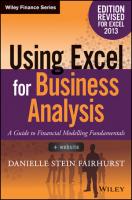
Financial Modeling in Excel for Dummies - by Danielle Stein Fairhurst
I've read many "for dummies" books because they typically do a good job of presenting basic information in a practical way. That describes this book very well. It focuses on how to use Excel for financial modeling, with an emphasis on modeling.
Chapters 3-5 contain many important modeling concepts that are also applicable to engineering models. The author doesn't talk about engineering - I just bring that up to emphasize that many of the concepts are universal. The author does a great job of explaining how to apply these fundamental concepts in Excel, such as documenting assumptions, error-checking, designing a model to be used by others, and how to review a spreadsheet created by somebody else. Even advanced Excel users could probably learn some things from chapters 3-5.
Chapters 6-9 cover mostly Excel basics with a few intermediate Excel concepts (like named ranges, goal seek, scenarios, and dynamic links in chart objects). All the information about Excel is very targeted for use in financial modeling, such as using goal seek in a break-even analysis.
Chapters 10-12 are a good representation of the financial topics covered in the book. Chapter 10 describes in detail how to build a model that integrates an income statement, cash flow statement, and balance sheet. Chapter 11 explains how to build a basic discounted cash flow valuation. Chapter 12 shows how to model depreciation and create a budget model.
Some of the screenshots of dialog boxes, contextual menus and sidebar panels are too small to read, but the text within the book usually gives you enough step-by-step detail to figure out how to get the job done.
Financial Modeling Software for Excel
I'm not going to list all of the financial modeling software that is available for Excel, but I will offer a few suggestions:
- Take a look at the financial functions that are already available in Excel.
- Look for add-ins that provide additional financial functions. Many add-ins include specialized functions that you can use to create your own models.
- Look for add-ins that allow you to analyze a financial model that you have created. Risk Solver, Crystal Ball and @Risk are probably the best that I know of for Monte Carlo simulation, decision, and risk analysis.
You can find a number of different add-ins in our directory of Excel Links.